How to Calculate Age in Excel: DATEDIF, YEARFRAC & Common Errors Fixed
By Rajul Raturi · AgeCalcAI Team · Updated August 14, 2026 · 8 min read
=DATEDIF(B2,TODAY(),"Y") for completed years, where B2 holds the birth date. For a years-months-days breakdown, chain three DATEDIF calls with the "Y", "YM", and "MD" unit codes. Avoid the divide-by-365.25 shortcut — it silently misreports leap-year birthdays. Use YEARFRAC instead of DATEDIF only when a decimal age is required, such as for insurance or research calculations. The most common error, a #NUM! result, almost always means the birth date cell is stored as text rather than a true Excel date.
Calculating age in a spreadsheet looks like basic subtraction until leap years, month-length differences, and text-formatted dates start producing results that are off by a year. This guide covers the exact formulas that get it right — DATEDIF for whole years, YEARFRAC for decimal precision — along with the errors that trip up most spreadsheets and how to fix each one.
The DATEDIF Formula: A Built-In Age Calculator
The DATEDIF function is not listed in the formula autocomplete menu, but it still works when typed manually — it's a legacy function Microsoft kept for backward compatibility. It compares two dates and returns the difference in whichever unit you specify.
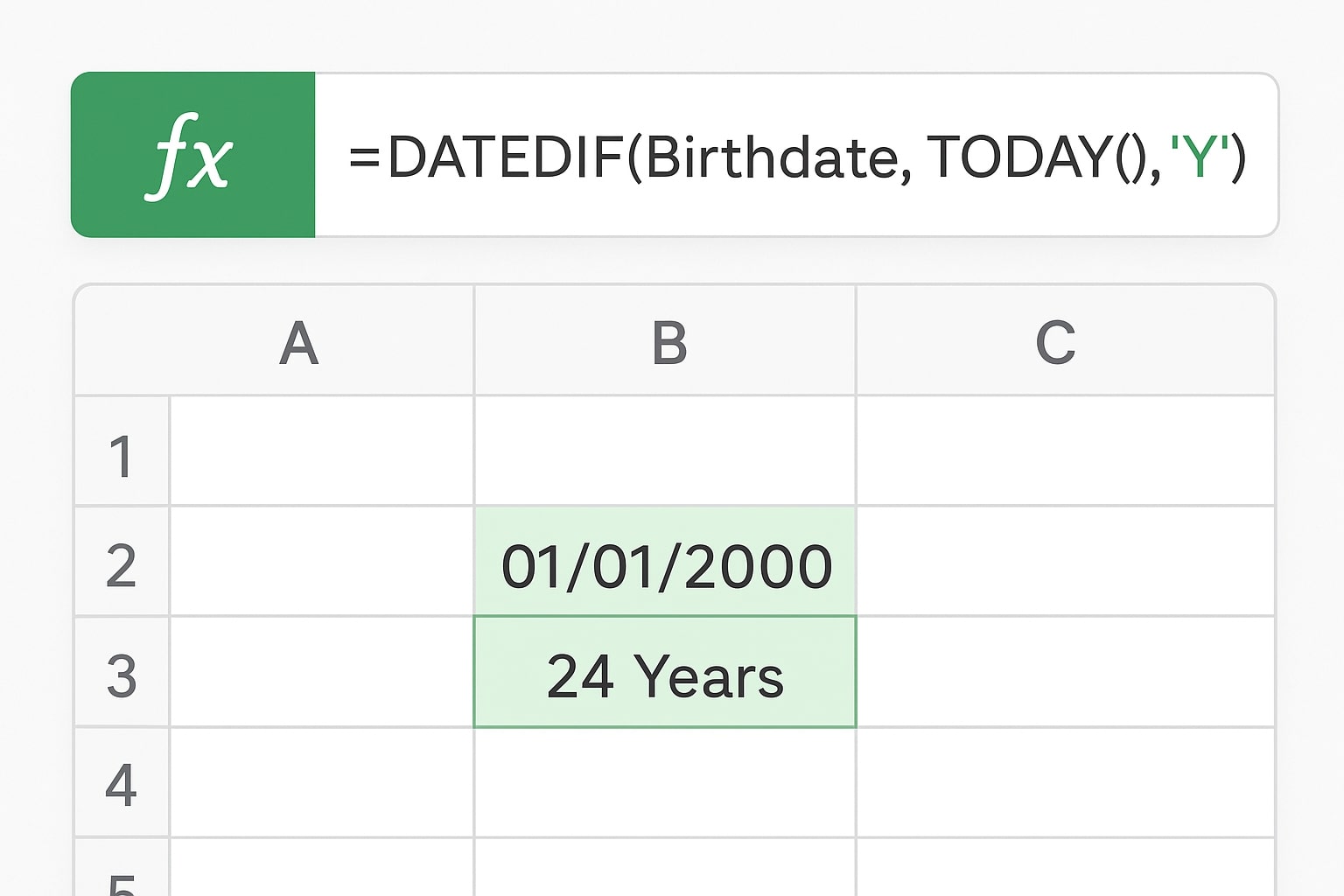
To calculate completed years:
=DATEDIF(B2, TODAY(), "Y")- B2 holds the date of birth.
- TODAY() pulls the current date automatically, so the result updates every time the sheet opens.
- "Y" tells DATEDIF to count only complete years — someone turns 30 on their birthday, not the day before.
Full Breakdown: Years, Months, and Days
For a detailed age like "35 Years, 4 Months, 12 Days," chain three DATEDIF calls together, each using a different unit code:
=DATEDIF(B2,TODAY(),"Y") & " Years, " & DATEDIF(B2,TODAY(),"YM") & " Months, " & DATEDIF(B2,TODAY(),"MD") & " Days"| Unit Code | What It Returns |
|---|---|
| "Y" | Complete years between the two dates |
| "M" | Complete months between the two dates (total, not broken down) |
| "D" | Total days between the two dates |
| "YM" | Remaining months after the last full year (0–11) |
| "MD" | Remaining days after the last full month (0–30) |
DATEDIF vs. YEARFRAC vs. the 365.25 Shortcut
Three approaches show up constantly in Excel forums, and they are not interchangeable. Here's how they actually differ:
| Method | Best For | Watch Out For |
|---|---|---|
DATEDIF(...,"Y") | Whole completed years — the standard way people state their age | Not in the formula autocomplete list; type it manually |
YEARFRAC(start,end,1) | Decimal age — insurance, actuarial, or research calculations | Always include the third argument (basis); omitting it defaults to a 30/360 method, not real calendar days |
(end-start)/365.25 | Quick rough estimates only | Can misreport a leap-year birthday by a full year depending on how many leap years fall in the span |
For most personal, HR, or form-filling purposes, DATEDIF with "Y" is the right default. Reach for YEARFRAC only when a fractional year value is genuinely required.
Fixing the Most Common Age Formula Errors
#NUM! Error
This appears when the start date is later than the end date, or — more often — when the birth date cell is stored as text instead of a real Excel date. A quick check: true dates are right-aligned in a cell by default; text-formatted dates are left-aligned. Fix it with Data → Text to Columns (finish the wizard with Date format selected), or wrap the reference in DATEVALUE().
dd/mm/yyyy vs. mm/dd/yyyy Mismatches
Sheets shared between US and international users sometimes misread the day and month, silently swapping 03/04/2026 between March 4th and April 3rd. Setting the cell's date format explicitly, rather than relying on regional defaults, prevents this from corrupting the DATEDIF result.
Age on a Specific Date, Not Today
To calculate age as of a fixed date instead of today, replace TODAY() with a specific date:
=DATEDIF(B2, DATE(2026,12,31), "Y")Does This Work in Google Sheets Too?
Yes. Google Sheets supports the identical DATEDIF syntax, including the "Y", "YM", and "MD" unit codes, so any formula built in Excel can be pasted into Sheets without modification — useful for teams that maintain the same roster in both tools.
Handling a Leap-Day Birthday (February 29)
DATEDIF handles February 29 birthdays correctly on its own — it treats the birthday as landing on March 1st in non-leap years and counts the completed year accordingly, and lands exactly on February 29th whenever the current year is also a leap year. No extra formula adjustment is needed.
Just need a quick answer without building a formula?
Use the Free Online Age Calculator →Frequently Asked Questions
What is the correct DATEDIF formula to calculate age in Excel?
Use =DATEDIF(B2,TODAY(),"Y") for completed years, where B2 holds the date of birth. For a full breakdown, combine three DATEDIF calls: =DATEDIF(B2,TODAY(),"Y")&" Years, "&DATEDIF(B2,TODAY(),"YM")&" Months, "&DATEDIF(B2,TODAY(),"MD")&" Days".
Why does DATEDIF give a #NUM! error?
DATEDIF returns #NUM! when the start date is later than the end date, or when either cell is stored as text instead of a real date. Confirm the birth date cell is right-aligned, which indicates Excel recognizes it as a true date value.
Should I use DATEDIF or YEARFRAC to calculate age in Excel?
Use DATEDIF when you need a whole completed-years age, which is the standard way people describe their age. Use YEARFRAC with the third argument set to 1 when you need a decimal age, such as age-nearest-birthday calculations used in insurance or research.
Why shouldn't I divide the date difference by 365.25 to get age?
Dividing by 365.25 approximates a year's length but doesn't check the actual calendar date, so it can round a person's age up or down depending on how many leap years fall in that span, occasionally producing an age one year off from the correct value.
Does the DATEDIF age formula work for someone born on February 29?
Yes. DATEDIF correctly treats a leap-day birthday as turning a year older on March 1st in non-leap years, and on February 29th itself whenever the current year is also a leap year.
Does the DATEDIF formula work in Google Sheets?
Yes. Google Sheets supports the same DATEDIF syntax as Excel, including the "Y", "YM", and "MD" unit codes, so age formulas built in Excel can be copied into Sheets without changes.
How do I fix a date that Excel is reading as text?
Select the column, use Data > Text to Columns and finish the wizard with the Date format selected, or wrap the cell reference in the DATEVALUE function to convert it into a true date Excel can calculate with.
How do I calculate someone's age on a specific past or future date instead of today?
Replace TODAY() in the DATEDIF formula with a fixed date, either typed directly as DATE(2026,12,31) or referenced from another cell, to calculate the exact age as of that particular date.
Can I calculate total months or total days lived instead of years?
Yes. Use =DATEDIF(B2,TODAY(),"M") for the total number of complete months since birth, or =DATEDIF(B2,TODAY(),"D") for the total number of days, without breaking the result into a years-months-days format.
Is there a faster way to check age without building a formula?
Yes — for a one-off check without opening a spreadsheet, a free online age calculator gives the same years, months, and days breakdown instantly by entering a birth date, which is faster than writing DATEDIF formulas for a single lookup.
Try More Useful Tools on AgeCalcAI.com
- Free Online Age Calculator — instant years, months, days, hours, minutes, and seconds without opening a spreadsheet.
- Age Difference Calculator to find the exact gap between two dates.
- Salary Calculator to compute your monthly income.
- Percentage Calculator for quick percentage calculations.
- Password Generator to create strong and secure passwords.
- File Size Calculator to convert and calculate digital file sizes.
📚 Sources & References
- Vertex42 — Use DATEDIF to Calculate Age in Excel
- Ablebits — How to Calculate Age in Excel from Birthday
- DataCamp — Age Formula in Excel: Easy Methods
Conclusion
DATEDIF remains the most reliable way to calculate age in Excel for whole years, and YEARFRAC covers the rare cases needing a decimal result. Skip the 365.25 shortcut, keep birth dates formatted as true dates rather than text, and the formula will hold up correctly through every leap year. For a one-off check without opening a spreadsheet at all, the free online age calculator gives the same breakdown instantly.
Disclaimer: This guide is for informational purposes. Excel formula behavior can vary slightly by version; verify results against your specific Excel or Google Sheets build if used for official records.