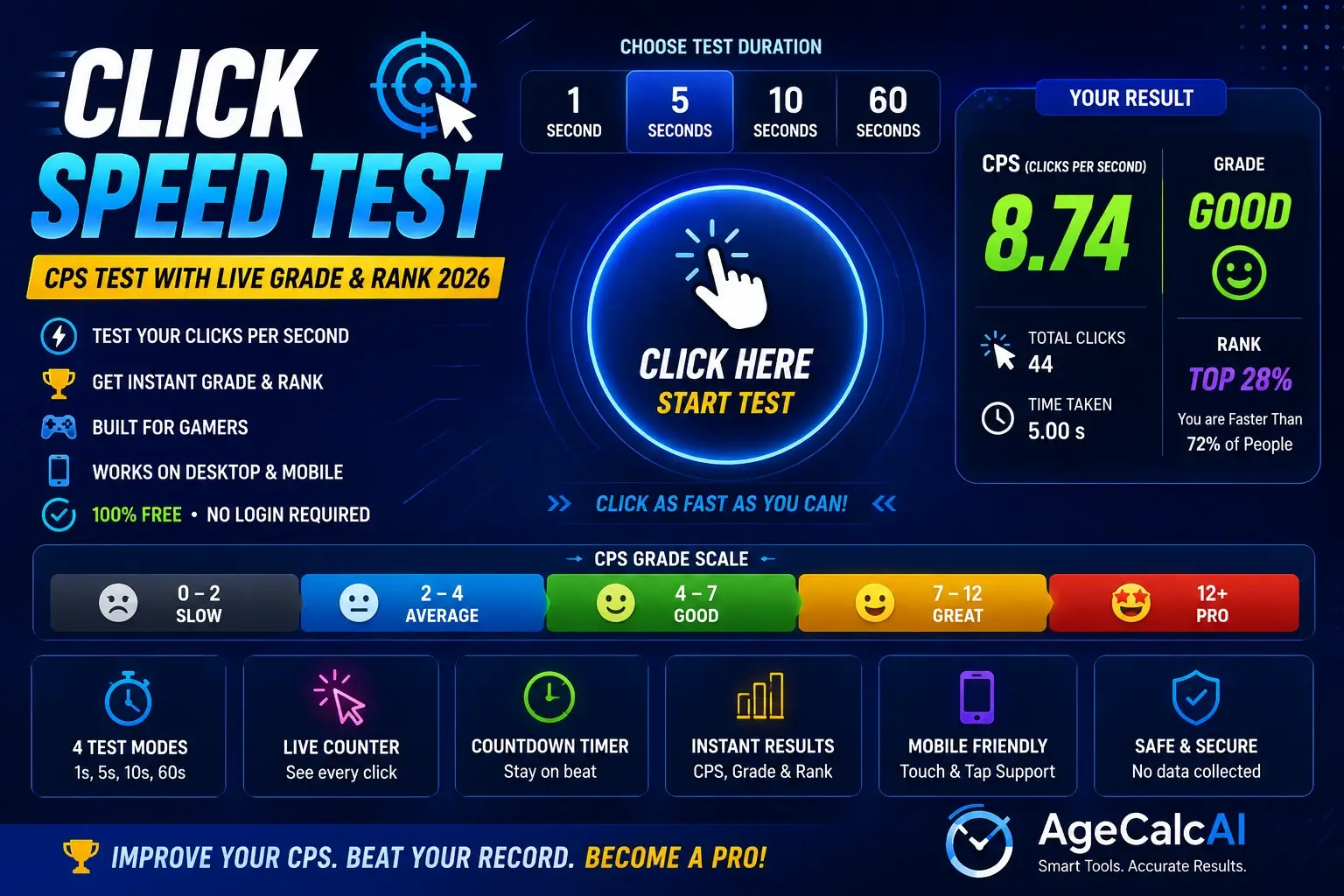
Click Speed Test – Free CPS Test & Clicks Per Second Tester
Use our free click speed test to measure your CPS (clicks per second) across 4 durations. Ideal for gamers, students, and anyone curious about their mouse clicking speed.
- CPS = Total Clicks ÷ Time in seconds. Test durations: 1, 5, 10, or 60 seconds
- 5–8 CPS is average, 8–12 CPS is good, above 12 CPS requires jitter or butterfly clicking
- World record CPS in 5 seconds is approximately 14.1–17.4
- Minecraft PvP typically registers 4–8 CPS effectively during combat
- Runs entirely in-browser — no data stored, works on desktop and mobile, no login required
🖱️ Click Speed Test — CPS Tester
Select a duration, then click the area as fast as you can!
⚠️ Disclaimer
This click speed test is designed for entertainment, practice, and skill measurement purposes only. Avoid excessive or prolonged clicking as it may cause finger, wrist, or forearm strain. Take regular breaks during extended sessions. This tool does not diagnose any medical conditions and is not intended to replace professional ergonomic advice. Use at your own discretion. AgeCalcAI is not responsible for any physical discomfort arising from use of this tool.
How to Use the Click Speed Test
Follow these 4 simple steps to measure your clicks per second and get your CPS score instantly.
Select Test Duration
Choose from 1, 5, 10, or 60 seconds. The 5-second click speed test is the standard mode used by most gamers for an accurate CPS measurement.
Click the Test Area
Click or tap anywhere in the large blue click area. The timer starts automatically on your first click — keep clicking as fast as you can!
Watch Live Stats
See your total clicks, remaining time, and live CPS update in real time as you click. The timer bar shrinks to show your progress visually.
Get Your CPS Score
When time ends, your CPS result, rank, and grade appear instantly. Click "Try Again" to beat your score or switch to a different duration mode.
Features of This Click Speed Test
Everything built into this free tester to give you the most accurate, smooth, and enjoyable clicking experience.
Real-Time CPS Tracking
Your clicks per second updates live every fraction of a second — so you can see your CPS building in real time, not just at the end.
4 Test Duration Modes
Choose 1-second for burst speed, 5-second for standard CPS, 10-second for consistency, and 60-second for stamina. All four modes give accurate, instant results.
Instant Rank & Grade
Your result comes with a performance rank — Slow, Average, Good, Fast, or Pro — and a grade based on your CPS score so you always know where you stand.
Works on Mobile & Desktop
This click speed test works on touchscreen phones, tablets, and desktops. Tap with your finger on mobile to register clicks — same accuracy as mouse clicks.
No Lag, No Delay
Built with pure JavaScript — no external libraries, no delay, no missed clicks. Every click is registered instantly for the most accurate CPS measurement.
Private — No Data Stored
Zero data collection. Your click scores are never uploaded to any server. Everything runs locally in your browser, completely private and secure.
CPS Score Chart — What Does Your Score Mean?
Use this reference table to understand your CPS score and see how you compare to other players and competitive gamers worldwide.
| CPS Score | Rank | Grade | Gaming Level | Technique Usually Used |
|---|---|---|---|---|
| 1 – 3 CPS | Slow | D | Beginner / Casual | Regular (slow) |
| 4 – 7 CPS | Average | C | Casual Gamer | Regular clicking |
| 8 – 10 CPS | Good | B | Competent PvP Player | Regular / practiced |
| 11 – 14 CPS | Fast | A | Competitive Gamer | Jitter / Butterfly |
| 15+ CPS | Pro 🏆 | S | Elite / Pro Player | Butterfly / Drag clicking |
Note: World record for 5-second click speed test is approximately 14–17 CPS. Average regular clicking speed is 5–8 CPS.
Clicking Techniques to Improve Your CPS
Learn the main clicking methods used by competitive gamers to increase clicks per second and improve performance in Minecraft, Roblox, and FPS games.
Regular Clicking (4–8 CPS)
The standard method — index finger pressing the left mouse button normally. Easy to learn, no strain, good for daily use and casual gaming. Perfect for beginners who want to measure their baseline CPS.
Jitter Clicking (10–18 CPS)
Rapidly tensing arm and wrist muscles to vibrate the fingertip on the mouse button at high speed. Achieves 10–18 CPS but requires practice. Avoid overdoing it to prevent wrist strain.
Butterfly Clicking (15–25 CPS)
Using two fingers — index and middle — alternating on the mouse button. Doubles your effective click rate. Takes practice but causes less strain than jitter clicking at high CPS.
Drag Clicking (20–40+ CPS)
Dragging a finger across the mouse button generates friction that registers multiple clicks per stroke. Achieves very high CPS but needs a compatible mouse and regular practice sessions.
CPS for Minecraft PvP
Minecraft registers approximately 4–8 CPS effectively in combat. Practicing your click speed test regularly helps build muscle memory for consistent PvP performance — especially useful for bridging and fighting.
Gaming Mouse Advantage
A gaming mouse with lighter button actuation and high DPI settings can noticeably improve your CPS scores. Popular options include Razer DeathAdder and Logitech G Pro series.
Frequently Asked Questions — Click Speed Test
Everything you need to know about CPS scoring, clicking techniques, and how to improve your clicks per second score.
Other Free Tools on AgeCalcAI
Explore more free productivity and skill tools — calculators, speed tests, and utilities on AgeCalcAI.
Ready to Test Your Click Speed?
Start the click speed test now, measure your CPS, and challenge yourself to beat your score. Completely free and instant.