 AgeCalcAI
Free Online Tool 2026
Custom Age Calculator – Calculate Age Between Any Two Custom Dates
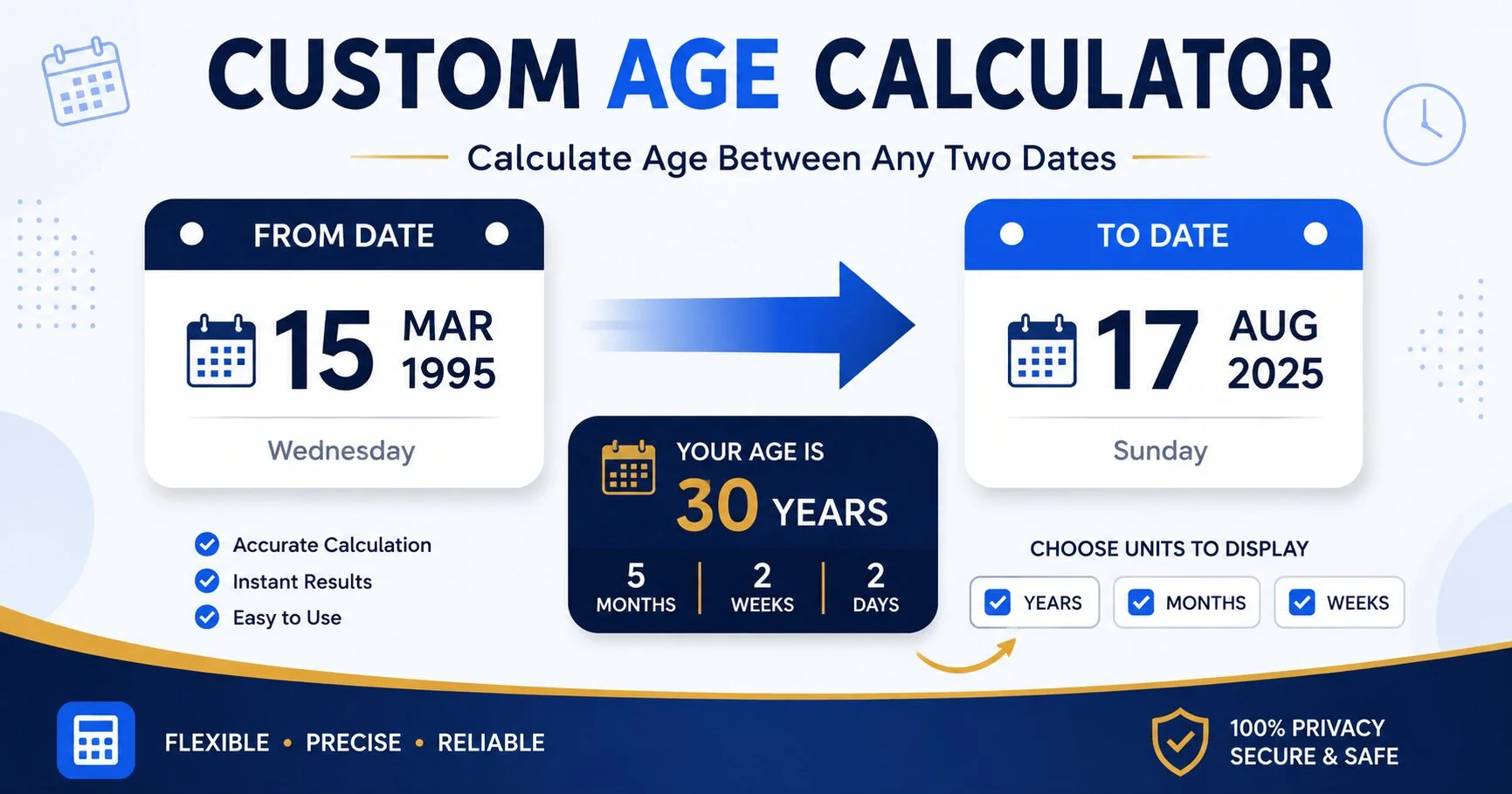
Most age calculators only work one way: your date of birth compared to today. Our custom age calculator is different — you pick both dates yourself, and you pick which units the answer is shown in. Whether you need the exact gap between two custom dates in years and months, or just the total days, this custom age calculator gives you full control over the result.
📐 Custom Age Calculator Tool
Choose your two dates and the units you want to see, then calculate.
Your Custom Result
📖 How to Use the Custom Age Calculator — 3 Steps
- Pick Your Start and End Dates. Unlike a fixed birth-date tool, both fields here are fully custom — enter any past or future date in either box.
- Select Your Custom Units. Tick the boxes for years, months, weeks, days, hours, or minutes depending on what you actually need shown.
- Click "Calculate Custom Age." The result appears instantly, broken down exactly the way you configured it, with leap years handled automatically.
🧮 What Makes This a "Custom" Age Calculator
The word "custom" here refers to two things this tool lets you control that most age calculators don't. First, the date range itself is custom — you're not locked into "birth date to today." You can measure the gap between any two custom dates, including two dates that are both in the future or both in the past. Second, the output format is custom — a plain age calculator shows a fixed breakdown of years, months, and days whether you want it or not. This tool lets you switch units on and off, so a project manager checking a custom date range in weeks isn't stuck scrolling past a years-and-months breakdown they don't need.
Under the hood, the calculator still uses the same accurate date-math principles as our standard age calculator — it accounts for leap years, variable month lengths, and time-zone-safe date parsing. The difference is entirely in flexibility: you control the inputs and the output shape, which is what makes it a genuinely custom age calculator rather than a relabeled version of a birthday-based one.
🎯 Who Uses a Custom Age Calculator?
This custom age calculator is built for anyone who needs a duration between two dates that isn't simply "how old am I":
- 📊 Project managers checking how many days or weeks fall between a kickoff date and a deadline, so they can report progress in whichever unit their team actually tracks against — weeks for a sprint, days for a short sprint, months for a quarterly roadmap.
- 🏫 Students and researchers calculating the exact duration of a study, internship, or fieldwork period, where an accurate day count often needs to be quoted in a report or academic transcript.
- 📜 HR teams measuring service length between a joining date and a leaving date for exit paperwork, notice-period calculations, or tenure-based benefits eligibility.
- 💍 Event planners counting the gap between a booking date and an event date, in whichever unit is easiest to communicate to clients — "14 weeks out" often lands better than "98 days" depending on the audience.
- 📑 Freelancers and contractors working out the exact length of a contract term between a start date and an end date, especially when the contract spans an odd number of months.
- 🧬 Anyone comparing two historical or future dates — anniversaries, lease terms, warranty periods, or countdowns — without being restricted to a birth-date format.
🧾 Example Calculations
A couple of worked examples show how the custom date range and custom units work together in practice:
- Example 1 — Contract length: Start date 3 March 2024, end date 17 September 2026. With years, months, and days selected, the result reads 2 years, 6 months, 14 days — useful for a service contract that renews on an odd anniversary.
- Example 2 — Event countdown in weeks: Start date 17 August 2026 (today), end date 25 December 2026. With only "weeks" and "days" selected, the tool skips the years/months breakdown entirely and shows just the two numbers that matter for planning a holiday event.
- Example 3 — Reverse order: If the end date entered is actually earlier than the start date, the calculator doesn't error out — it automatically treats the gap as an absolute duration and clearly notes which date came first in the result summary.
✨ Why Choose Our Custom Age Calculator?
- ✓ 100% free — no sign-up needed
- ⚡ Instant results, calculated live in your browser
- 🎛️ Custom unit selection — show only what you need
- 📅 Works with any two dates, past or future
- 🔁 Automatically handles leap years and month-length differences
- 📱 Works on phones, tablets, and desktops
- 🔒 Private — no dates or personal data are stored
🔍 Custom Age Calculator vs. Other Age Tools on AgeCalcAI
AgeCalcAI already has a few age-related tools, and it's worth being clear about how this one is different so you pick the right one for your task.
| Tool | Best For | Date Inputs | Output |
|---|---|---|---|
| Custom Age Calculator (this tool) | Any custom date range, custom output units | Both dates fully editable | Choose your own units |
| Age Calculator | Your exact age from birth date to today | Birth date + optional target date | Fixed years/months/days/hours/etc. |
| Age Difference Calculator | Comparing two people's ages / dating age gap | Two birth dates | Fixed years/months/days gap |
If you're trying to find out your own age from your birthday, the standard Age Calculator is the faster option. If you're comparing two people's birth dates for a dating age gap, use the Age Difference Calculator. This custom age calculator exists for everything else — any two dates, any combination of output units.
🛡️ Accuracy, Privacy & How the Math Works
Every calculation happens locally in your browser using standard JavaScript date objects — nothing you type into the start or end date field is sent to a server, logged, or stored anywhere. This matters because a custom date range is often tied to something private: a contract term, a lease, a medical follow-up window, or an HR record.
On the accuracy side, the years/months/days breakdown is calculated by first finding the whole-year and whole-month difference, then adjusting for any remaining days using the actual number of days in the relevant calendar month — not a flat 30-day assumption. This is the same method used in calendar-accurate date libraries, and it's why the result stays correct even across February in a leap year, or when the date range spans months of different lengths. The totals shown for weeks, days, hours, and minutes are calculated independently as a straight elapsed-time count between the two dates, so they'll always add up correctly even if you only select some of the available units.
💡 Tips for Getting the Most Out of a Custom Age Calculator
A few small habits make this kind of tool more useful in day-to-day work rather than a one-off curiosity check. First, match the selected units to the audience — internal engineering notes can stay in days, but a client-facing timeline usually reads better in weeks or months. Second, when working with contract or lease dates, double-check which date is meant to be inclusive; this tool measures the raw gap between the two dates entered, so if a contract counts the start day itself, you may need to add one day manually depending on the specific wording of the agreement. Third, if you're comparing several date ranges in a row — say, three different vendor quotes with different start dates — it helps to keep the end date fixed and only change the start date each time, so the comparison stays apples-to-apples.
It's also worth remembering that this tool measures calendar time, not business time. If a task or contract only counts working days, the day and week totals shown here will include weekends and holidays, so they represent the full calendar duration rather than a working-day count. For a straightforward calendar gap between any two dates, though, the numbers will match exactly what a manual calculation would produce — just without the risk of a leap-year or month-length mistake.
❓ Frequently Asked Questions — Custom Age Calculator
1. What is a custom age calculator?
A custom age calculator lets you find the exact time between any two dates you pick, rather than only calculating from a birth date to today. You choose the start date, the end date, and which units — years, months, weeks, days, hours, or minutes — you want the result shown in.
2. How is a custom age calculator different from a regular age calculator?
A regular age calculator is built around one specific job: your date of birth compared to today (or a single target date). A custom age calculator removes that constraint — both dates are fully editable, and you can pick exactly which time units appear in the result.
3. Can I calculate age between two future dates?
Yes. Since both the start and end date fields accept any date, you can enter two future dates, two past dates, or one of each, to calculate the exact duration between them.
4. Does the custom age calculator account for leap years?
Yes. The calculator uses standard date handling that automatically accounts for leap years and each month's varying length, so the breakdown stays accurate.
5. Is this custom age calculator free to use?
Yes, the tool is completely free, requires no sign-up, and runs entirely in your browser. No dates or personal information are stored or sent anywhere.
6. Can I choose which time units are shown in the result?
Yes. Checkboxes let you toggle years, months, weeks, days, hours, and minutes on or off, so the result only shows the units useful for your specific situation.
7. What happens if I enter the end date before the start date?
The tool still works. It detects that the dates are reversed, calculates the absolute duration between the two, and shows a note in the result summary telling you which of the two dates actually came first.
8. Is my data saved when I use this tool?
No. The calculation runs entirely inside your browser. The dates you enter are never sent to a server, stored, or shared, and they disappear as soon as you close or refresh the page.