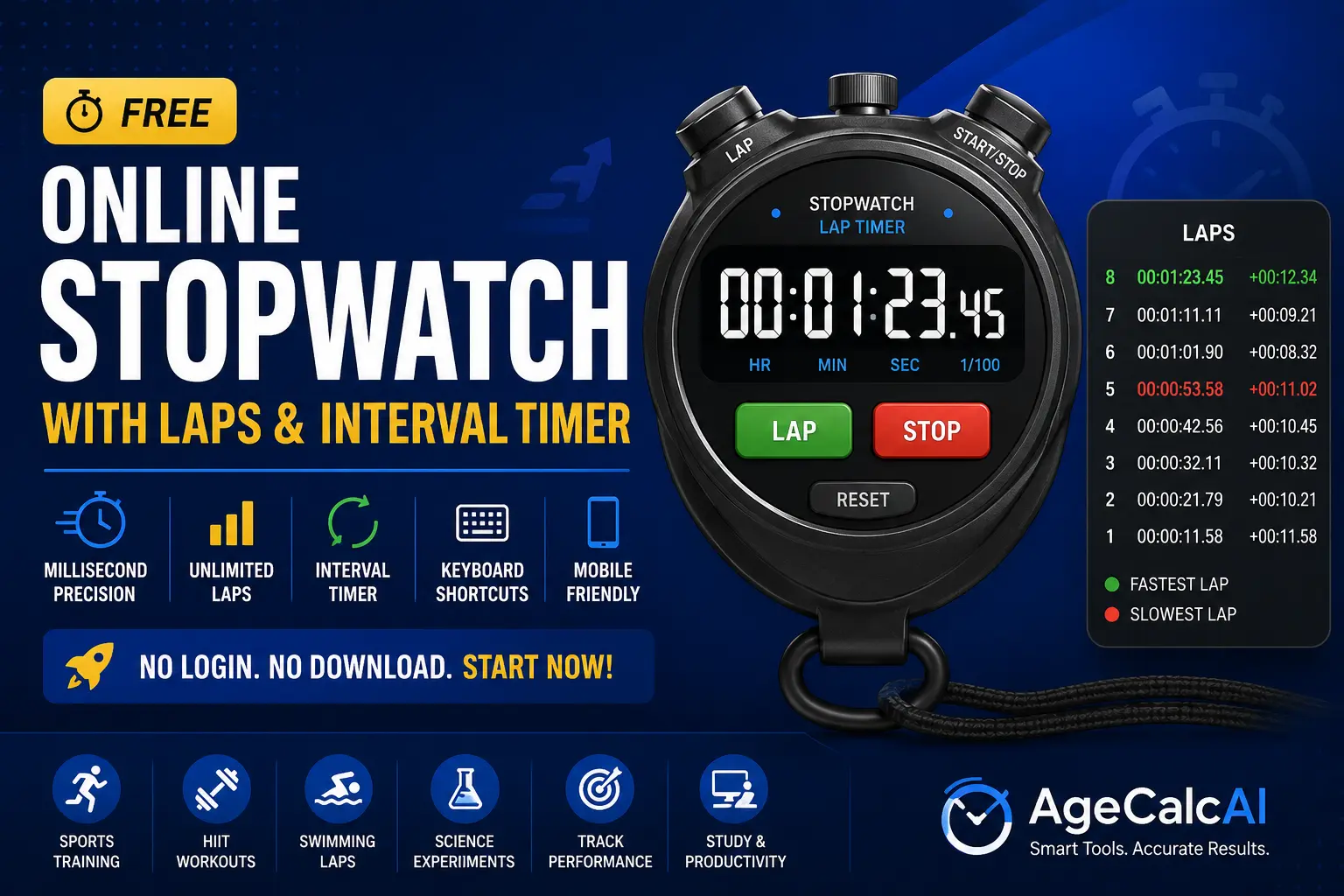
The fastest free online stopwatch with unlimited laps, split times, interval timer and keyboard shortcuts. Start timing instantly — no download, no login.
Online Stopwatch – Free Digital Timer with Lap Counter & Interval Mode
Millisecond precision · Unlimited laps · Interval timer · Keyboard shortcuts
| # | Lap Time | Total Time |
|---|
Start timing in seconds — no setup, no registration needed:
Click the green Start button or press Space bar on your keyboard. The free timer begins counting from 00:00.00 with 10-millisecond precision. The green indicator dot confirms it is running.
While the stopwatch is running, click the Lap button or press the L key to record a split time without stopping the main timer. Each lap shows the individual lap duration and total elapsed time. Fastest lap glows green, slowest shows red — instant visual comparison.
Click Stop or press Space to pause the stopwatch timer. Review all lap times in the table. Press Reset or R to clear. Click Copy Laps to export all lap data to your clipboard — paste into any spreadsheet or training log.
Switch to the Interval tab and set custom work and rest durations with the number of rounds. Hit Start and the tool automatically cycles between work and rest phases with an audio alert at each transition — perfect for HIIT and Pomodoro.
Everything an athlete, coach, student, or professional needs in one free timing tool:
Accurate to 10 milliseconds using the browser high-resolution timer — more reliable than most physical digital stopwatch units for everyday use.
Record unlimited laps. Each entry shows individual split time and cumulative total. Fastest lap highlighted green, slowest in red for instant performance comparison.
Set custom work and rest durations with number of rounds. The stopwatch cycles through each interval phase automatically — ideal for HIIT, circuit training, and Pomodoro sessions.
Space to start/stop, L for lap, R to reset, F for fullscreen. Fast keyboard control is essential during athletic training when you cannot look away from your activity.
Copy all lap times to clipboard in one click. Paste directly into Google Sheets, Excel, or your training diary — no manual transcription needed.
Expand the digital stopwatch to fill your entire screen for competitions, classrooms, or gym walls where the timer must be visible from a distance.
Built for athletes, coaches, students, and professionals:
Time sprints, record 100m splits, measure recovery between sets, and track swimming laps. Coaches use it for interval training and race simulations with the unlimited lap counter.
Measure reaction times, record experiment durations, and time chemical reactions with millisecond accuracy. Ideal for school labs and university research where a precise digital stopwatch is required.
Use the interval timer mode for Pomodoro — 25 minutes focus then 5 minutes rest. The automated switching removes the need to watch the clock and keeps you in deep focus longer.
Use the lap timer to track multiple dishes cooking at once. Press Lap when each ingredient goes in without stopping the main timer. Never over-boil pasta again.
Track how long tasks take across a workday. Lap each task block to record time spent — a simple method for auditing your day without complex software.
Record split times for speedrun segments with the lap counter. Track personal bests per level and compare across runs using the copy-to-clipboard export feature.
Control this stopwatch without touching your mouse — essential during athletic timing:
| Key | Action | When |
|---|---|---|
| Space | Start the timer | When stopped or idle |
| Space | Stop / pause the timer | While running |
| L | Record a lap time | While running |
| R | Reset all times | When stopped (after running) |
| F | Toggle fullscreen mode | Any time |
This free tool combines the accuracy of a precision timing instrument with the convenience of a browser-based tool available on any device. Unlike a dedicated hardware stopwatch that can be lost or broken, this digital stopwatch is always available on your phone, tablet, or laptop with no installation required. It opens in seconds and starts timing with a single keypress.
When you press Lap during a running stopwatch session, two values are recorded: the split time (how long that specific lap took since the previous lap) and the cumulative total time (total elapsed since the very start). The split time lets you compare individual interval performance — useful for runners who want to see if they are maintaining pace or drifting slower in later laps. The total time tells you exactly when in the overall session each checkpoint occurred.
Our free stopwatch highlights the fastest recorded lap in green and the slowest in red. This instant visual feedback is standard in professional sports timing systems and lets athletes and coaches identify performance outliers without manually scanning a list of numbers.
The interval timer mode turns this free stopwatch into a full HIIT and Pomodoro timer. Set your work duration in minutes, rest duration in minutes, and the number of rounds. The timer counts down through each work phase, plays an alert sound at the transition, then counts down through the rest phase before starting the next round. A progress bar and round indicator dots show exactly where you are in your session at all times.
The Pomodoro technique recommends 25-minute focus blocks with 5-minute breaks. Enter 25 minutes work, 5 minutes rest, and 4 rounds to run a full Pomodoro cycle. After 4 rounds, take a longer 15-minute break. Our interval timer handles the cycling automatically so you stay in flow state without watching the clock.
This free tool uses the browser high-resolution performance timer which offers sub-millisecond resolution on most modern devices. The display updates every 10 milliseconds, providing a fluid and accurate readout. For reference, professional athletics stopwatches record to 1 millisecond. Our free stopwatch at 10-millisecond resolution is accurate enough for all practical sports, science, cooking, and productivity timing needs in everyday use.
Coaches and athletes use interval-based training structures where precise timing is the difference between an effective session and a wasted one. A runner training 400-meter repeats needs to know their split for each rep and compare across a session of 8 to 12 repeats. Our lap counter records every split without interrupting the overall session timer, and the color-coded best and worst lap highlighting instantly shows which reps were on pace and which fell behind. This information directly informs training adjustments for the next session.
No download ever — Opens instantly in any browser. No app install, no registration, no waiting.
Best/worst lap colors — Fastest lap green, slowest red. Instant performance insight at a glance.
Interval timer built in — Automated work/rest cycling for HIIT, Pomodoro, and circuit training sessions.
Keyboard shortcuts — Control the stopwatch without looking away from what you are timing.
Export laps in one click — Copy all lap times to clipboard for training logs and spreadsheets.
Always 100% free — No ads blocking the tool, no login, no subscription. Free forever.
Complete suite of free time and productivity tools — no login ever required:
Not all free digital stopwatches are created equal. A basic browser timer just counts seconds. A professional-grade free stopwatch should include millisecond precision for serious timing needs, an unlimited lap counter for recording split times, color-coded lap comparison to instantly identify best and worst intervals, export functionality so your timing data does not disappear when you close the tab, and an interval timer for structured workout and study sessions.
Compared to physical stopwatches, a well-designed browser-based digital timer has clear advantages: it is always available on your phone, it displays a larger readout on any screen, and it can record unlimited laps in a scrollable table that no physical button-press watch can match. Unlike expensive sports GPS watches, this free stopwatch delivers everything you need for personal training and coaching without any cost or setup.
For sprint or interval training, start the timer at the beginning of your session rather than resetting it between reps. Use the Lap button at the end of each sprint or set to record that interval. When the session ends, you will have every rep time plus the total session time visible in the lap table. Copy the entire table to your training log with the single-click copy feature.
For Pomodoro studying, switch to Interval mode and set 25 minutes work, 5 minutes rest, 4 rounds. This matches the standard Pomodoro cycle precisely. The automatic phase switching means you never have to watch the timer or manually start the rest period — just focus on your work until the audio alert sounds, then take your break.
In science classrooms and university labs, measuring reaction time, pendulum periods, and chemical reaction durations requires a reliable free digital timer. This free tool displays time to the nearest 0.01 seconds, which is sufficient precision for nearly all educational experiments. The lap feature allows students to record multiple trials sequentially in one session and immediately compare results in the lap table — ideal for physics experiments comparing multiple test runs.
Millisecond precision · Unlimited laps · Interval mode · Keyboard shortcuts — free, no login, forever.