Free Web Notepad Online - Quick Note Taking
Notepad online with auto-save, multiple tabs, and dark mode. No download or signup required.
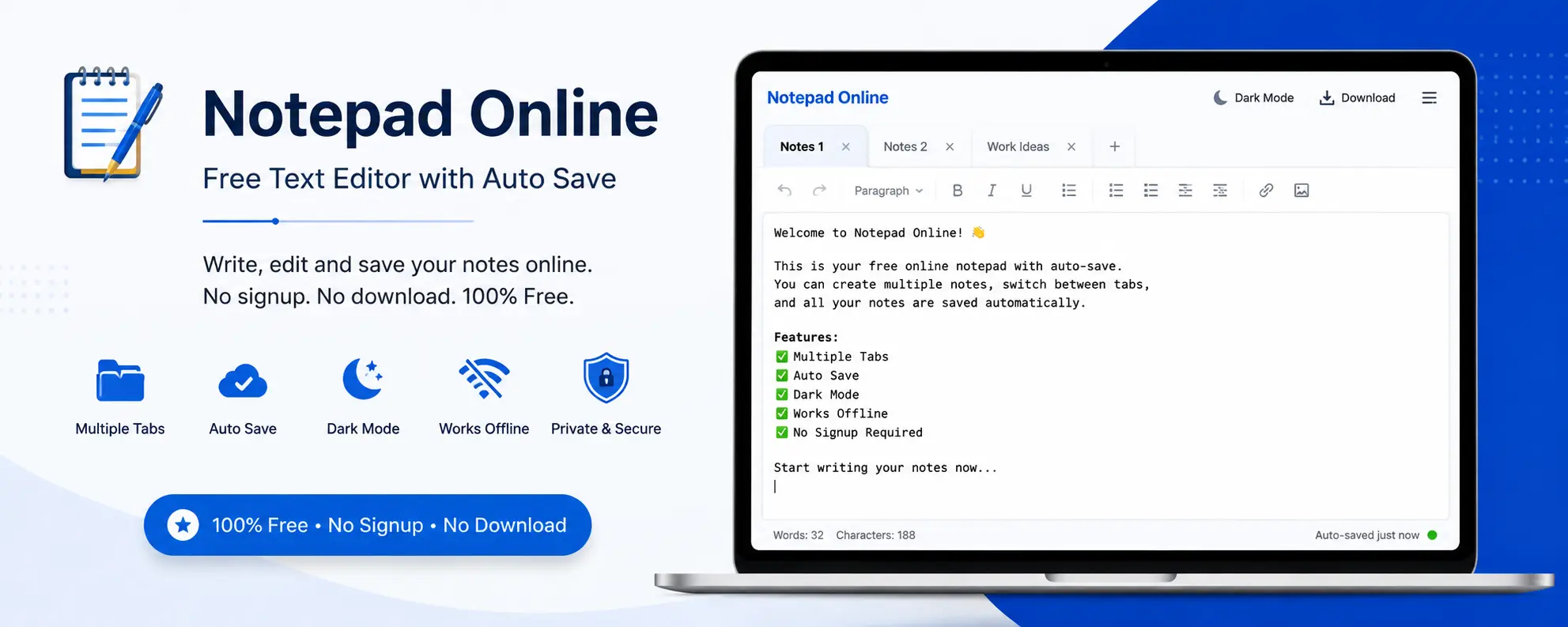
Why Use This Free Web Notepad?
Our online text editor is designed for quick note taking without any hassle. Whether you need to jot down ideas, create to-do lists, or draft documents, this notepad provides all essential features in a clean, fast interface.
✅ No Signup Required
Start taking notes instantly. No account creation, no email verification. Just open and write.
💾 Auto-Save Feature
Your notes auto-save every 10 seconds. Never lose your work again with automatic saving.
📑 Multiple Tabs
Organize notes with unlimited tabs. Keep work notes, personal notes, and ideas separate.
🌙 Dark Mode
Switch between light and dark themes for comfortable writing in any lighting condition.
📴 Works Offline
Once loaded, this tool works without internet. Your notes stay in your browser.
🔒 Completely Private
All notes saved locally. Nothing sent to servers. Your privacy is 100% protected.
How to Use the Free Web Notepad
Step 1: Start Writing
Simply click in the text area and start typing. The notepad is ready to use immediately without any setup.
Step 2: Create Multiple Tabs
Click "+ New Tab" to create additional notes. Each tab saves independently, helping you organize different topics or projects.
Step 3: Format Your Text
Use the formatting toolbar to make text bold, italic, add colors, or insert links. Rich text editing makes your notes more organized and readable.
Step 4: Auto-Save Enabled
Your notes automatically save every 10 seconds. You can also click "Save All" anytime to ensure everything is stored in your browser.
Step 5: Export When Needed
Download your notes as .txt files or PDFs. Print directly from the browser or share exported files easily.
Perfect Web Notepad For
- Quick Notes: Capture thoughts instantly without opening heavy applications
- Meeting Notes: Take notes during meetings with multiple tabs for different topics
- To-Do Lists: Create and manage daily task lists in organized tabs
- Drafting Content: Write blog posts, emails, or documents before finalizing
- Code Snippets: Store frequently used code pieces or commands
- Shopping Lists: Keep grocery or shopping lists handy in your browser
- Study Notes: Take class notes with formatting and organization
- Brainstorming: Jot down ideas quickly during creative sessions
Benefits of Using a Web Notepad
Instant Access Anywhere
Access your notes from any browser on any device. No installation required. Open the page and your notes are ready.
Lightweight and Fast
Unlike heavy desktop applications, this online notepad loads instantly and runs smoothly even on older computers or mobile devices.
Privacy Focused
Your notes never leave your browser. Everything stays on your device, ensuring complete privacy. No server uploads, no data collection.
Free Forever
This notepad tool is completely free with no premium features hidden behind paywalls. All features available to everyone at no cost.
Cross-Browser Compatible
Works perfectly on Chrome, Firefox, Safari, Edge, and all modern browsers. Same experience everywhere.
Keyboard Shortcuts for Faster Note-Taking
This web notepad supports standard rich-text keyboard shortcuts so you can format notes without reaching for the mouse. These work the same way they do in most desktop word processors, which makes switching over from apps like Notepad++ or Google Docs feel familiar from the first minute.
- Ctrl + B (Cmd + B on Mac): Bold the selected text
- Ctrl + I (Cmd + I on Mac): Italicize the selected text
- Ctrl + U (Cmd + U on Mac): Underline the selected text
- Ctrl + Z / Ctrl + Y: Undo and redo your last edits
- Ctrl + A: Select all text in the current tab
- Tab: Insert indentation inside lists and code snippets
Because every tab has its own independent editor instance, these shortcuts apply only to the tab you currently have open — switching tabs never carries a shortcut action into the wrong note.
How Your Notes Are Stored — Local Storage Explained
Unlike most "online notepad" tools that quietly sync your text to a remote server, this notepad writes everything to your browser's built-in local storage. That's a small, sandboxed database every modern browser maintains per website — nothing you type here is transmitted anywhere, and AgeCalcAI's servers never see the content of your notes.
Practically, this means three things worth knowing before you rely on it for anything important:
- Device-specific: Notes saved on your laptop won't appear on your phone, since local storage doesn't sync across devices. Export a copy if you need it elsewhere.
- Browser-specific: Switching from Chrome to Firefox on the same computer will not carry your notes over — each browser keeps its own separate storage.
- Tied to browser data: Clearing your browser's cache, cookies, or site data will erase saved notes permanently. Export anything important as a .txt or PDF backup first.
This trade-off is deliberate: it's what makes the tool genuinely private and ad-free, with zero account creation. For anything you can't afford to lose, treat the export button as your save button.
Web Notepad vs. Desktop Notepad Apps
If you're deciding between this browser-based notepad and a traditional desktop app like Notepad or Notepad++, the right choice depends on what you're actually trying to do. Here's an honest comparison:
| Feature | This Web Notepad | Desktop Notepad Apps |
|---|---|---|
| Installation | None — opens instantly in any browser | Requires download and setup |
| Cross-device access | Works on any device with a browser | Tied to the machine it's installed on |
| Rich text formatting | Bold, italic, color, links built in | Basic Notepad: plain text only |
| Multiple tabs | Unlimited, auto-saved individually | Usually one file per window |
| Works without internet | Yes, once the page has loaded | Yes, always |
In short: reach for this notepad when you want zero setup and easy access from whichever device is in front of you. Reach for a desktop app when you need guaranteed offline access with no browser dependency at all, such as on a machine that rarely connects to the internet.
Need More Free Tools?
Check out our collection of 25+ free calculators and productivity tools
Explore All Tools →Frequently Asked Questions
Written & Reviewed by Rajul Raturi
IT Professional and Web Tools Creator with 22+ years of experience in the IT field. Founder of AgeCalcAI, building free calculators, converters, and productivity tools used by readers across the USA, UK, Canada, Australia, and India.
Last Updated: September 2026 · About AgeCalcAI · Disclaimer
More Free Text & Writing Tools
Pair this online notepad with our other text-processing tools:
- Word Counter - Count words, sentences, and paragraphs instantly
- Character Counter - Track character count with and without spaces
- Text Case Converter - Switch between UPPERCASE, lowercase, and Title Case
- Image to Text Converter - Extract text from images with OCR
- Reading Time Calculator - Estimate how long your notes take to read
Related Free Tools
Explore more productivity tools from AgeCalcAI:
- Tip Calculator - Calculate restaurant tips instantly
- Percentage Calculator - Calculate percentages easily
- Salary Calculator - Convert hourly to annual salary
- Age Calculator - Calculate exact age in years, months, and days
- Hours Calculator - Add up work hours between times
- Days Until Calculator - Count down to any future date
- Password Generator - Create strong, random passwords
- Unit Converter - Convert between metric and imperial units
- Countdown Timer - Build a shareable countdown for any event
- Typing Speed Test - Check your typing speed and accuracy
- Stopwatch - Free online stopwatch with lap timing
- Time Zone Converter - Convert times across time zones
- View All 25+ Free Tools
Latest from the AgeCalcAI Blog
Handy guides related to productivity and everyday calculations: